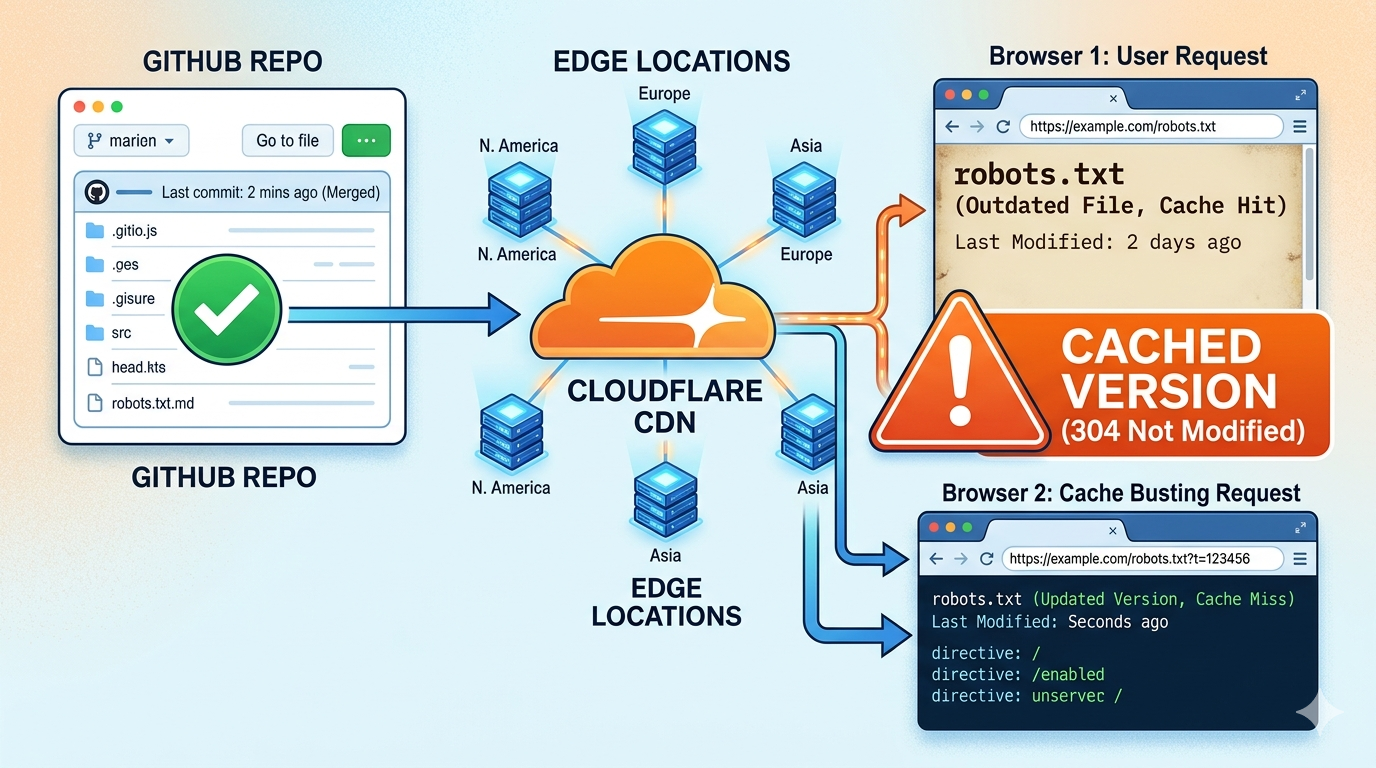
Astro and Cloudflare Pages: Understanding the Full Architecture
When you first set out to build a personal website, the options feel endless: WordPress, Wix, hand-coded HTML, or one of the many JavaScript frameworks. The combination of Astro and Cloudflare Pages has caught on fast with developers. Write some markdown, push to GitHub, and a few moments later a fast, secure website is live on the internet. Free, too.
But most guides stop at the tutorial steps. They show you which CLI commands to run and where to click, without explaining why this stack works so well. Without understanding the architecture, you will hit walls eventually: debugging a broken deploy, configuring a custom domain, or explaining to a client why their site loads in half a second.
This article slows down and looks at the whole system. I will walk through everything, from the moment Astro generates a static HTML file to the instant a visitor on the other side of the world sees that page in their browser. We will use everyday analogies (restaurants, libraries, parcel delivery) to make abstract infrastructure feel concrete. By the end, you will know not just how to build with Astro and Cloudflare Pages, but how the engine underneath actually works.
What Is Astro?
Astro is often called a “static site generator,” but that label only tells part of the story. Astro is a web framework built for content-first websites. You write components using your favorite UI library (React, Vue, Svelte, or plain HTML), and during a build step, Astro renders everything down to static HTML, CSS, and a minimal amount of JavaScript.
A good mental model is a printing press. Imagine you are publishing a newspaper. You do not want each reader to call a printing factory in real time and have a worker assemble the paper by hand while they wait. That is slow and expensive. Instead, you print thousands of identical copies in advance, stack them up, and distribute them to newsstands around the city. Readers simply grab a finished copy. Astro works the same way. It takes all your components, content, and styling, then outputs a complete, ready-to-serve website that sits on a shelf (a hosting service) waiting to be delivered.
The interesting part of Astro is its “Island Architecture,” also called partial hydration. Traditional JavaScript frameworks like Create React App send a large bundle of JavaScript to the browser, which then constructs the entire page. Astro does the opposite: by default, it sends zero JavaScript to the client. If you need an interactive element (a carousel, a search bar, a dark mode toggle), you mark that component as an interactive “island.” Only that island’s JavaScript gets loaded in the browser, and it hydrates independently of the surrounding static HTML. Think of a printed magazine where only one advertisement has a tiny battery-powered blinking light; everything else is ink on paper.
What Is Cloudflare Pages?
Cloudflare Pages is a platform for building and hosting modern websites, designed for the JAMstack approach. It connects directly to a Git repository (usually GitHub or GitLab), watches for changes, and automatically builds and deploys your site to Cloudflare’s global network.
Picture a fully automated book publishing and distribution service. You write your manuscript (your code and content), hand it to a service that instantly typesets, prints, and binds the book, and then ships copies to thousands of libraries across every continent without you doing anything else. When a reader walks into their local library, the book is already on the shelf, just a few steps away. Cloudflare Pages does the same thing for websites: it takes your source files, runs the build process, and places the resulting static assets onto edge servers in over 300 cities worldwide.
Cloudflare Pages is more than a hosting bucket. It includes a CI/CD pipeline, collaborative preview environments for every branch, and the ability to run serverless functions (Cloudflare Pages Functions) at the edge. The free tier for personal websites is generous: unlimited bandwidth, unlimited requests, and up to 500 builds per month.
Static Sites vs Dynamic Sites
Before we can fully appreciate the Astro + Cloudflare Pages duo, we need to clarify the difference between static and dynamic websites. This distinction trips up newcomers more than almost anything else.
Let us use a restaurant analogy. A traditional dynamic website, like a WordPress blog running on a LAMP stack (Linux, Apache, MySQL, PHP), works like a full-service kitchen. Every time a customer (site visitor) places an order (requests a page), the waiter (web server) takes the order to the kitchen. The chef (PHP) consults a pantry (the MySQL database), gathers ingredients, cooks the dish from scratch, and plates it before sending it out. This happens for every single request. Even if the same meal was prepared 30 seconds ago, it gets cooked again. Flexible, but slower, and it needs constant server power.
A static website operates like a well-stocked fast-casual deli. The sandwiches, salads, and pastries are all prepared in advance during the early morning (the build process) and placed in a refrigerated display. When you walk in and ask for a sandwich, the cashier reaches into the case and hands it to you. No cooking, no waiting, no database queries. The food is already there. This is what Astro outputs: a collection of pre-built HTML files, CSS, and images that can be served instantly.
A common pushback: “But can a static site still do interactive things?” Yes. The deli might have a toaster on the counter for anyone who wants their sandwich warmed up (an interactive JavaScript widget). It might also have a phone line to a bakery to check today’s special (an API call). The foundation is pre-made, but you can layer dynamism on top exactly where it is needed. That is the JAMstack idea: serve static assets first, then enhance with JavaScript and APIs.
How Astro Generates Static HTML
The journey from an .astro component on your hard drive to a plain .html file inside a dist folder is where the real transformation happens. When you run astro build, Astro launches a Node.js process that executes each page component in a server-side context.
An Astro component is both a blueprint and a foreman. The top section (the “frontmatter” between --- fences) contains JavaScript or TypeScript that runs only at build time. This is where you fetch data from a local file, a headless CMS, or an external API. The bottom section contains the template (JSX-like syntax that defines the HTML structure). Astro executes the top section, receives the data, and then runs the template to produce a string of HTML. Once the HTML is generated, all that build-time JavaScript is discarded. Nothing leaks into the client’s browser unless you explicitly tell it to.
For interactive islands, Astro does something clever. Suppose you have a React counter component on your page. During the build, Astro renders the component’s initial state into static HTML and inserts it into the page. It then creates a small script tag that tells the browser: “This area here needs to be hydrated with React later.” The full React runtime for that island loads only when the page becomes interactive in the browser. This is why people say “zero JavaScript by default.” Most of your site (headers, footers, articles, images) stays pure HTML and CSS, which browsers render almost instantly.
Here is a library analogy. A traditional React app is like a library where, instead of storing assembled books, the staff keeps loose pages, ink, and a binding machine. Every time a patron wants a book, the staff prints the pages and binds them on the spot. An Astro-generated site is a library where all the books are already printed, bound, and placed on the correct shelf. If a book has a pop-up illustration (a React island), only that page includes a tiny, self-contained mechanical mechanism that activates when opened. The rest of the book is just paper.
Why Astro Is SEO Friendly
Search engine optimization is not a dark art. It boils down to making it easy for search engine crawlers to discover, understand, and trust your content. Astro gives you a head start in three areas.
First, full HTML delivery. Most search engine bots, including Googlebot, can execute JavaScript, but they do it on a secondary, delayed wave. The initial crawl expects meaningful text and semantic markup directly in the HTML source. Since Astro outputs complete pages with all your content rendered as HTML, the bot consumes your site the way a human reads a book: linearly and completely. No risk that a critical heading or paragraph stays hidden behind a loading spinner.
Second, page speed. Speed is a confirmed ranking factor, both directly and through Core Web Vitals metrics like Largest Contentful Paint (LCP) and Cumulative Layout Shift (CLS). Astro’s minimal JavaScript approach means pages are lightweight and render fast. When Cloudflare Pages serves these files from an edge node close to the user, time-to-first-byte is often under 100 milliseconds. A fast site means lower bounce rates, better engagement, and improved rankings.
Third, built-in SEO primitives. Astro lets you control meta tags, Open Graph data, canonical URLs, and structured data through frontmatter and components. You can generate a sitemap.xml and an RSS feed automatically. Many frameworks require third-party plugins for these features; Astro handles them out of the box.
The Role of GitHub in Modern Deployment
You might wonder why GitHub, a platform for storing code, sits at the center of a website deployment strategy. GitHub acts as the single source of truth for your entire project, the canonical manuscript for your book.
When you connect Cloudflare Pages to a GitHub repository, you create a partnership where GitHub triggers every update. The workflow: you make a change to your site (fix a typo, add a blog post, tweak the design), commit and push to your repository’s main branch. GitHub receives the new commit and immediately sends a webhook notification to Cloudflare Pages. Think of a courier ringing the publishing factory’s doorbell to say, “New manuscript version has arrived!”
Without GitHub in the loop, you would have to build your site on your local machine, export the static files, and upload them somewhere via FTP or a CLI tool. That is tedious and error-prone. Git-based deployment keeps your live site and your code history in sync. You can roll back to a previous version by reverting a commit. Multiple people can open pull requests, preview changes live, and merge only when ready.
This also lowers the barrier for non-developers. Tools like Decap CMS (formerly Netlify CMS) or a simple online markdown editor can commit changes directly to your repository. Saving a draft becomes a Git commit, which triggers a new deploy. The editor does not need to understand branches or terminals; they edit text and hit “publish.”
How Cloudflare Pages Deploys Your Site Automatically
The deployment process inside Cloudflare Pages is a well-orchestrated assembly line. Once the webhook from GitHub arrives, Cloudflare spins up a temporary build environment (a lightweight Linux container with Node.js pre-installed). This environment clones your repository at the specific commit that was pushed and runs the build command you specified, usually npm run build or astro build.
During this phase, Astro runs exactly as it would on your local machine: it fetches remote data, processes markdown files, compiles components to static HTML, and bundles the necessary JavaScript islands. The output lands in a folder, typically called dist. Cloudflare Pages then takes everything inside that folder and uploads it to the Cloudflare global edge network.
The parcel delivery analogy fits well here. Your built website is a set of parcels containing individual HTML pages, CSS stylesheets, images, and JavaScript files. A traditional hosting setup puts all these parcels in one central warehouse in Virginia. Anyone in Tokyo who wants your website has to wait for a parcel to travel across the Pacific Ocean. Cloudflare’s edge network acts like a logistics company that instantly dispatches copies of every parcel to hundreds of local distribution hubs worldwide. When a user requests a page, the hub closest to them hands over the parcel immediately.
One more thing: for every branch in your repository, Cloudflare Pages generates a unique preview URL. You can experiment in a staging branch, see exactly how the site will look in production, share that link with teammates, and merge only when everything looks right. The entire process, from push to production, often completes in under a minute.
Understanding DNS and Domain Resolution
We have talked about files being deployed to the edge, but how does a user’s browser find them in the first place? This is where DNS (Domain Name System) comes in. The classic phonebook analogy still works.
In the early days of telephones, if you wanted to call your friend Maria, you looked up her name in the phonebook to find her number. DNS does the same thing: it translates human-readable domain names like yoursite.com into machine-friendly IP addresses like 172.67.123.45. Every device on the internet has an IP address, but memorizing strings of numbers is not practical.
When you register a domain and want to use it with Cloudflare Pages, you typically change your domain’s nameservers to point to Cloudflare. This is like telling the phone company: “Don’t use the old phonebook; use Cloudflare’s phonebook instead.” Once that is done, you add a DNS record (usually a CNAME) that maps your domain to your Cloudflare Pages project, something like your-project.pages.dev. When a visitor types yoursite.com into their browser, the following happens:
- The browser asks the local DNS resolver (often your ISP) for the IP address of
yoursite.com. - The resolver follows a chain of queries, eventually reaching Cloudflare’s authoritative nameserver.
- Cloudflare’s nameserver responds with an IP address, but it is not the IP of a single server. It is an anycast IP that routes to the nearest Cloudflare data center.
- The browser connects to that IP, which terminates at a Cloudflare edge node.
From the user’s perspective, typing a domain name and hitting enter takes a fraction of a second. Because Cloudflare runs one of the fastest DNS services on the planet, this resolution step is almost invisible.
What Happens When a User Visits Your Website
Now we have all the pieces. Here is the complete journey that happens the moment a visitor clicks a link to your Astro-built website hosted on Cloudflare Pages.
The user’s browser starts with DNS resolution. Within milliseconds, it knows the IP address of the nearest Cloudflare edge server. It opens a TCP connection to that server, performs a TLS handshake to establish an encrypted HTTPS tunnel, and sends an HTTP GET request for the root path: GET / HTTP/1.1.
The Cloudflare edge node receives this request and checks its local cache. Because Cloudflare Pages automatically stores your static assets across the global edge, the requested index.html file is almost certainly already on that specific node. If it is not (perhaps the node recently came online), the request gets fetched from a nearby peer or from the persistent storage layer, but this is rare. The HTML file is served directly from the edge node’s SSD, often with a time-to-first-byte under 10 milliseconds.
The browser receives the HTML and begins parsing it. It encounters references to other resources: a CSS file at /style.css, a hero image at /images/hero.webp, maybe a small JavaScript bundle for a React island at /counter.js. The browser issues additional HTTP requests for each. Once again, the edge node checks its cache and serves them instantly. All these files are static and immutable (or versioned with unique hashes), so they can be cached aggressively.
This is the warehouse logistics analogy in action. Imagine you live in London and order a book from an online store. If the store’s only warehouse is in Los Angeles, you wait a week for international shipping. But if the store has a warehouse in your own city, you might receive the book in a few hours. Cloudflare’s edge nodes are those local warehouses, and your Astro-generated files are the pre-packed, ready-to-ship books. The user never waits for a server in a distant data center to build the page, query a database, or assemble parts.
How Cloudflare CDN Speeds Up Delivery
The Cloudflare CDN is the engine behind all this speed. CDN stands for Content Delivery Network, and its job is to distribute content geographically so it is always close to users. Cloudflare’s network spans more than 300 cities, meaning there is almost certainly an edge server within 50 milliseconds of anyone with an internet connection.
How does the CDN know what to cache and for how long? It respects standard HTTP cache headers. Astro, by default, sets appropriate headers for built assets. Hashed files like index.abc123.js can be cached indefinitely because any change to the file produces a new hash and a new URL. HTML pages are typically cached more moderately so updates propagate quickly. Cloudflare also lets you customize cache rules if needed.
The effect is noticeable. Even a site with dozens of images and a few interactive widgets feels fast. The browser does not need to reach halfway around the globe; it pulls files from a server that might be in the same metropolitan area. This is not just about raw speed. It improves perceived performance, which keeps visitors engaged and signals to Google that your site is worth ranking.
Consider a personal blog with an image-heavy portfolio. Without a CDN, a visitor in Australia accessing a server in New York would see noticeable delays, especially on images. With Cloudflare CDN, the HTML is delivered by the Sydney edge node, which also has every image cached locally. The result is a site that feels as responsive as a locally hosted application.
Why This Architecture Works for Personal Websites
Personal websites (blogs, portfolios, documentation, landing pages) have a particular set of requirements that Astro and Cloudflare Pages handle well.
- Cost: The free tier of Cloudflare Pages includes unlimited bandwidth and requests. You can host multiple sites without a bill. Combined with Astro’s zero-license-fee model, the total cost can be zero.
- Performance: The static-plus-CDN architecture delivers pages faster than most dynamic WordPress hosts.
- Security: No database to inject, no plugin to exploit. The attack surface is small. HTTPS is provisioned automatically.
- Developer Experience: Writing in Astro feels modern and component-based, but the output is plain HTML.
- SEO and Social Sharing: Static, semantic HTML makes content easy to index and share, with Open Graph images rendered correctly.
- Longevity: A static HTML site does not need constant maintenance, security patches, or PHP version updates. It can sit untouched for years and still work.
For a student building their first portfolio, a researcher sharing findings, or a startup launching a documentation hub, this combination is a solid, future-proof choice.
Common Misconceptions About Static Sites
Static sites sometimes get dismissed due to outdated or inaccurate assumptions. Here are the most persistent ones.
“Static sites are just simple, old-school HTML pages.” The word “static” refers to the delivery method, not the authoring experience. Astro lets you use powerful component frameworks, TypeScript, and CSS Modules. The result is a static HTML file, but the toolchain is as modern as any single-page application framework.
“You cannot have dynamic features like forms or search.” A static site can include interactive elements. For a contact form, you can use services like Formspree, or deploy a Cloudflare Pages Function that processes the form data. For search, client-side solutions like Fuse.js or Algolia work well. The static files are the foundation; JavaScript and APIs provide the dynamic behavior on top.
“Static sites cannot handle frequent content updates.” With Git-based deployment, updating a page is as simple as editing a markdown file and pushing a commit. Astro build times are fast, often a few seconds, because it does not need to re-bundle large client-side JavaScript apps. Many sites rebuild and redeploy in under 30 seconds. For larger sites with thousands of pages, incremental builds and headless CMS webhooks keep things smooth.
“You need a server for user authentication or e-commerce.” Authentication and payments can be handled by third-party services like Auth0 and Stripe, integrated via client-side JavaScript or edge functions. The static site itself remains just the frontend. This decoupled architecture is actually more scalable and secure.
“Static sites are less professional than platforms like WordPress.” The opposite is true. Static sites give you full control over every byte sent to the browser. You can achieve pixel-perfect designs and clean, professional codebases without fighting a CMS template engine. Large companies, including Cloudflare, Twitch, and many others, use static site generators for their marketing and documentation sites.
Conclusion
Astro and Cloudflare Pages represent a mature approach to building for the web. Generate as much as possible ahead of time, serve only what is needed, and deliver it from a location near the user. This architecture removes the complexity of traditional servers, eliminates whole categories of security risk, and makes your site feel fast.
Understanding the underlying logic (from Astro’s build step, through Git-based deployment, to Cloudflare’s CDN) turns you from a button-click follower into a confident builder. You can debug problems faster, explain your tech choices clearly, and optimize your site with purpose.
If you are starting out in web development, this is a clean introduction to modern practices. And if you are a seasoned developer, the simplicity of this architecture is worth revisiting.
Related article:
- Troubleshoot cache issues — Diagnose why your updates don’t show up after deployment
FAQ
1. Do I need to know how to code to use Astro and Cloudflare Pages?
You need basic familiarity with HTML, CSS, and maybe a little JavaScript, but you do not need to be an expert. Astro’s component syntax is easy to learn, and you can build an entire blog using mostly Markdown files. There are also official and community starter templates that get you up and running quickly.
2. How is Astro different from Next.js or Gatsby?
Next.js and Gatsby can also produce static sites, but they tend to ship more JavaScript to the browser by default. Next.js’s App Router often relies on client-side hydration, while Gatsby uses a GraphQL layer that can be heavy for simple sites. Astro’s core philosophy is “zero JavaScript by default,” making it lighter and faster for content-focused websites where you do not need a full framework running in the browser.
3. Is Cloudflare Pages really free for a personal site?
Yes. The free plan includes unlimited bandwidth, unlimited requests, up to 500 builds per month, and one build running at a time. For most personal blogs, portfolios, and documentation sites, this is more than enough. You also get automatic SSL and a pages.dev subdomain for free.
4. Can I use my own domain name with Cloudflare Pages?
Yes, and it is straightforward. You can either use Cloudflare’s domain management by pointing your domain’s nameservers to Cloudflare, or add a custom domain via a CNAME record in your existing DNS provider. Cloudflare automatically provisions and renews SSL certificates for custom domains.
5. What if I need a contact form or other dynamic backend feature on my static site?
You have a few options. The simplest is a form-handling service like Formspree, Basin, or Google Forms that accepts HTTP POST submissions and forwards them to your email. If you need more control, Cloudflare Pages Functions lets you write small serverless functions that run at the edge and can process form data, integrate with APIs, or send emails. Your site stays static, but the backend logic lives in the same deployment pipeline.
6. How long does it take for changes to appear live after I push to GitHub?
Usually 30 to 60 seconds. The build process for a typical Astro site is fast (often under 10 seconds), and the deployment to the global edge happens almost instantly once the build completes. Cloudflare also supports instant cache purging, so even previously cached HTML pages get updated right away.
7. Does a static site mean I cannot have user authentication or members-only areas?
No. You can integrate authentication providers like Auth0, Clerk, or Firebase Authentication using client-side JavaScript. The static site serves the public and authenticated UI, while the authentication service and any protected API routes handle the secure logic. This keeps your site fast and maintains a clean separation of concerns.