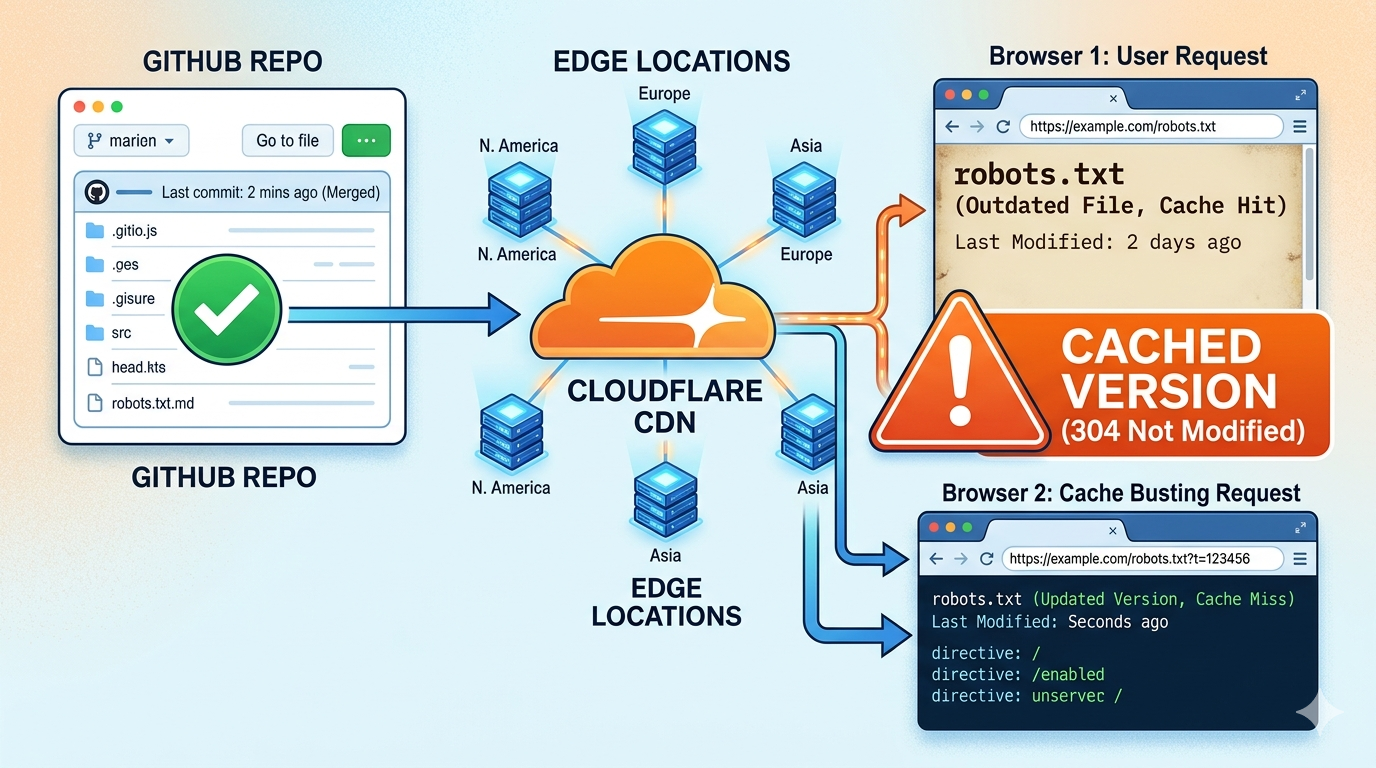
I spent an hour yesterday thinking my deployment pipeline was broken. The commit went through. GitHub showed the latest push. Cloudflare Pages built successfully. I could open the deployed files inside the Cloudflare dashboard and see the new content sitting there.
The live site was still serving the old version. Not a stale image. Not a cached CSS file. The robots.txt, which should be the simplest thing in the world, was stuck on last week’s content.
It was not a deployment problem. It was a cache problem.
The problem
I updated my robots.txt to add AI-related directives:
Content-Signal: ai-train=no
Content-Signal: search=yes
Content-Signal: ai-input=yes
Committed, pushed, deployed. Every status indicator said “done.”
But https://bephil.com/robots.txt returned the old version. Hard refresh, incognito window, different browser. Same result.
My first instinct was that something in the pipeline had failed. A GitHub action glitch. A bad Cloudflare build. A deploy log I had misread. None of it. The deployment went fine. Cloudflare was just not asking the origin for the latest file. The edge cache was serving the stale copy with no reason to stop.
What edge cache actually does
Cloudflare runs a global CDN. Someone visits your site, Cloudflare stores a copy on a nearby edge server. The next visitor hits that same server and gets the cached copy without ever contacting your origin.
Visitor
   ↓
Cloudflare edge server
   ↓ (cached copy)
Response
Great for performance. Terrible for debugging. When the cache holds a “fresh” copy of an outdated file, your origin server might as well not exist.
How I confirmed it
I added a query parameter to the URL:
https://bephil.com/robots.txt?t=123456
New content loaded immediately. The original URL kept serving the old file. That is when it clicked.
- GitHub: up to date
- Cloudflare: deployed
- Website: updated
- Cache: holding onto the old version like it was the only copy in the world
A query parameter changes the URL Cloudflare uses as the cache key, forcing it to bypass the cached copy and fetch from the origin. If adding ?t=something makes the new content appear, your deployment is fine and your cache is not.
Quick checks before you waste an hour
Two things to try when a deploy looks successful but the site disagrees.
Add a query parameter. Stick ?t=123 on the URL. If the update shows up, your edge cache is stale. Fastest test I know.
Check the response headers. Look for cf-cache-status:
| Status | What it means |
|---|---|
| HIT | Served from cache |
| MISS | Fetched from origin |
| EXPIRED | Cache expired, will refetch next |
| BYPASS | Cache was intentionally skipped |
| DYNAMIC | Not cached |
If the header says HIT and you expected fresh content, the edge cache is your bottleneck.
How to clear it
Inside the Cloudflare dashboard:
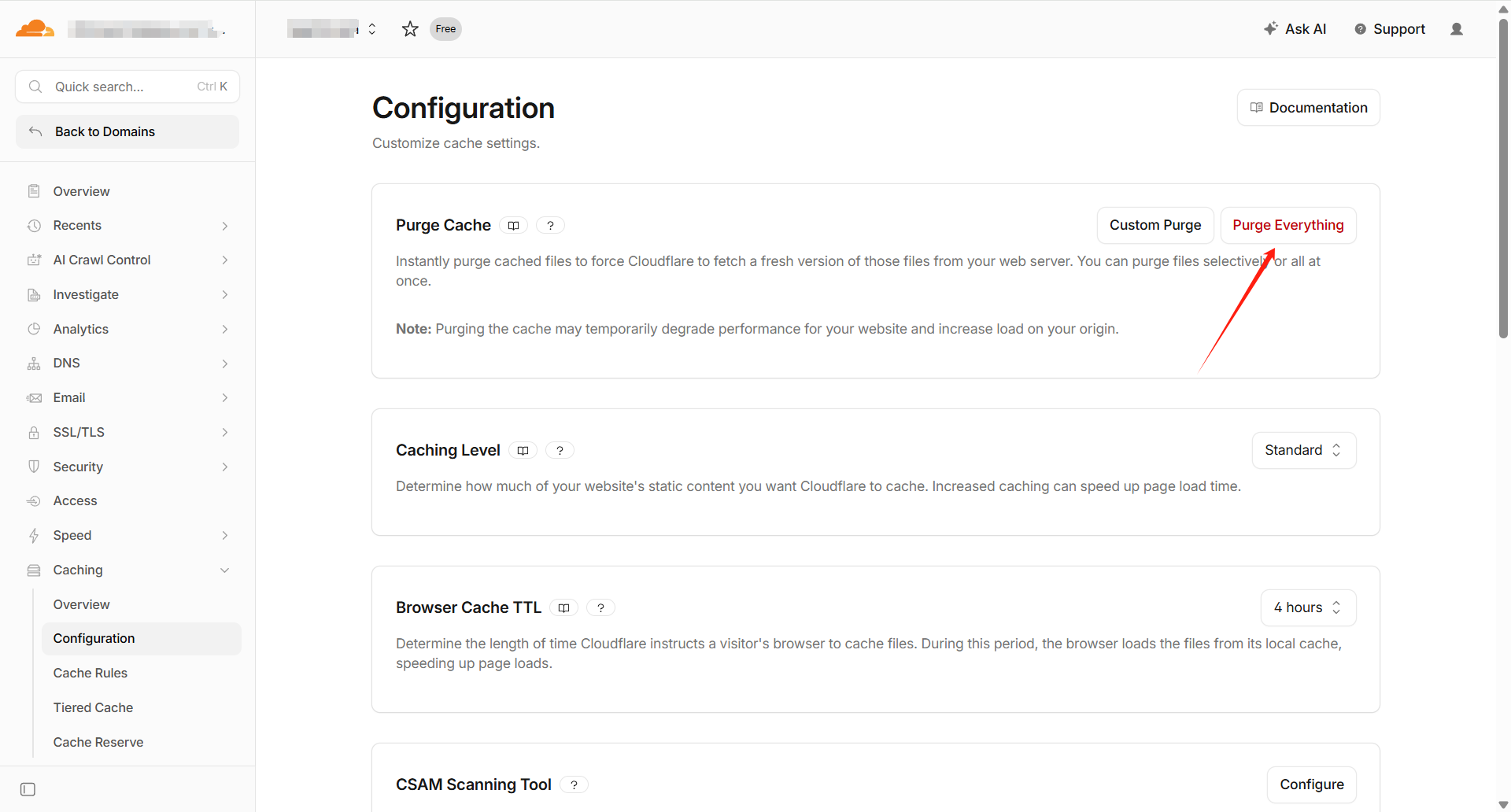
- Purge specific files if one or two assets are stuck. Caching, then Purge Cache, then Custom Purge. Enter the file URL. Targeted and fast.
- Purge everything after a major update to guarantee every visitor gets the latest. Same menu, Purge Everything. Use sparingly on high-traffic sites.
- Version your static assets the old fashioned way. A query parameter in your build output (
style.css?v=2) forces Cloudflare to treat each version as a new file. This avoids most cache headaches from the start for CSS and JavaScript.
The SEO problem nobody talks about
Stale cache can quietly mess with your search rankings.
An outdated robots.txt means search engines might crawl pages you want blocked, or skip pages you want indexed. If an SEO audit tool reports robots.txt issues you are sure you already fixed, check the edge cache before touching the file.
Same with content changes. You tweak a meta description, Googlebot shows up, reads the cached page, indexes the old text. Your fix is live on your end and invisible to search engines.
AI crawlers have the same blind spot. Content signals, llms.txt, agent directives. If the edge cache is serving stale versions of those files, the AI tools reading them are working from outdated data.
What I will do differently
From now on I check the cache before I check anything else. A query parameter test takes two seconds and saves you from going down the deployment debugging rabbit hole.
Cloudflare’s edge network is genuinely useful. It makes sites faster and reduces load on the origin. But until you know the caching layer exists and can silently serve old content, the “broken deployment” will keep tricking you. Now that I know what to look for, thirty minutes of head scratching turns into a quick check and a five-second cache purge.
Related article:
- Understand the architecture — Learn how Astro and Cloudflare Pages work together